
Ezoic's Newest Capabilities: What They Do and How to Use Them


Ezoic has added a substantial set of capabilities over the past month, spanning integration, monetization, identity, and analytics. Network EPMV — earnings per thousand visitors — grew 23.6% in Q1 2026, and these additions serve the same goal: making it easier to earn more from the audience you already have. This guide covers what each capability does, who it's useful for, and how to start using it. The first six are available to everyone. The final three are in early access through your Customer Success Manager.
1. The AI Setup Assistant
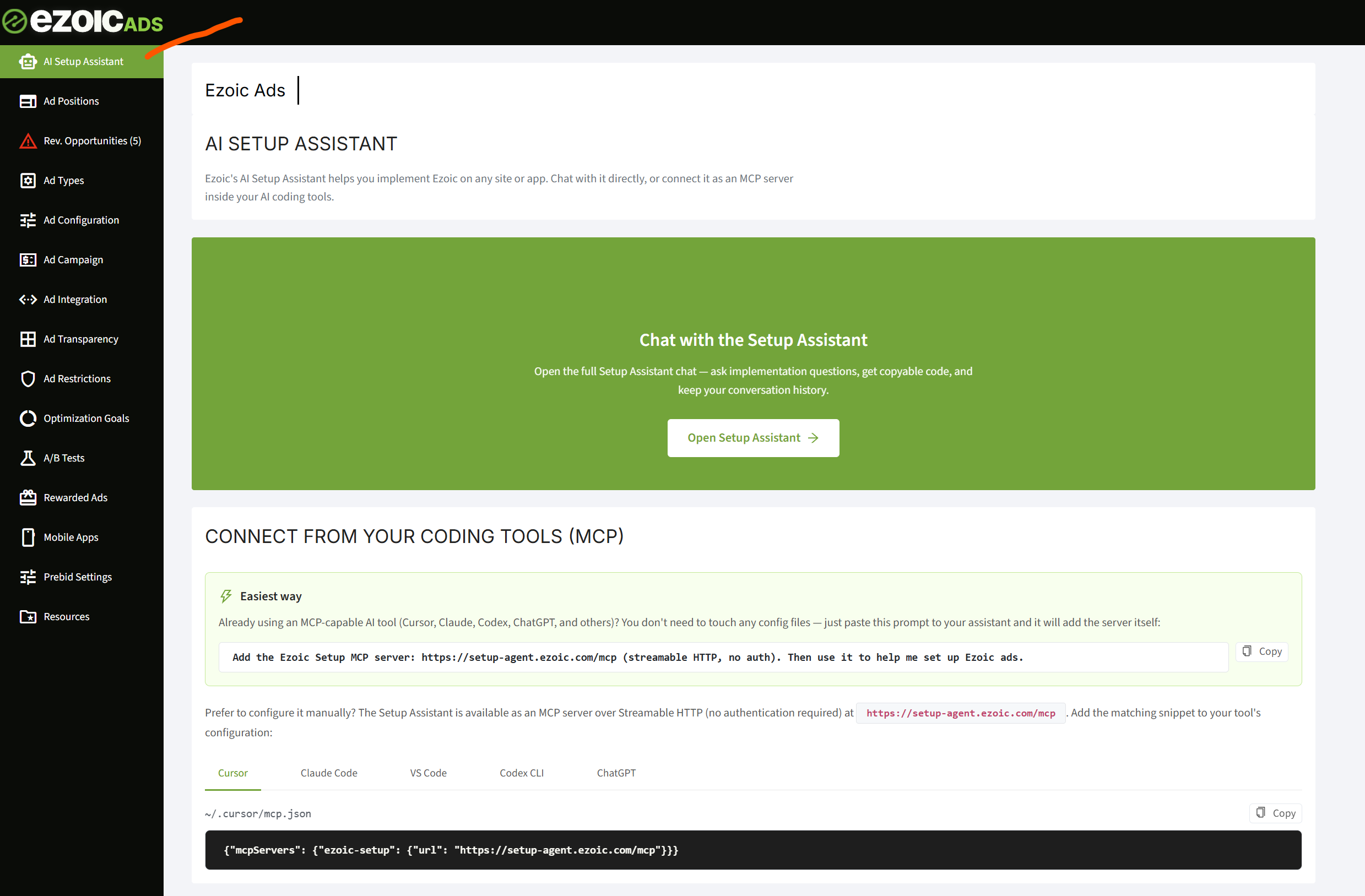
The AI Setup Assistant provides expertise on Ezoic — placements, integration patterns, platform-specific setup — and produces working code. There are two ways to use it: chat with it directly from the EzoicAds dashboard, or connect it to an AI coding tool (Cursor, Claude Code, VS Code, Codex, ChatGPT) as an MCP server, which gives your own coding agent full knowledge of how to implement Ezoic.
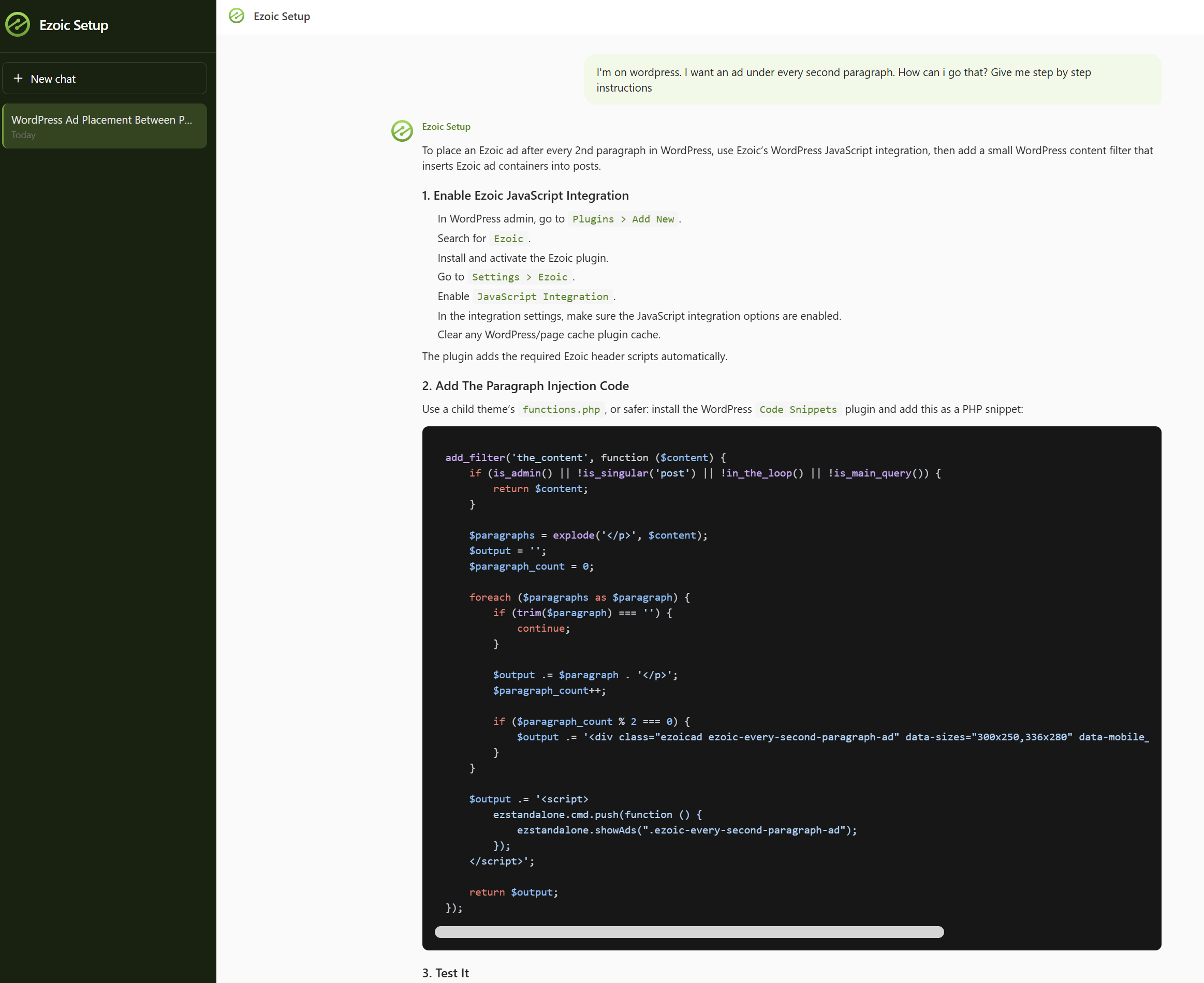
The answers are specific to your setup. Ask for an ad after every second paragraph on a WordPress site, and you get step-by-step instructions and a complete code snippet, not a link to documentation.
How to use it: open AI Setup Assistant in the EzoicAds dashboard, or add the MCP server (https://setup-agent.ezoic.com/mcp) to your coding tool. The dashboard includes a one-line prompt you can paste into any MCP-capable assistant to configure the connection automatically.
2. Monetization for HTML5 Web Games
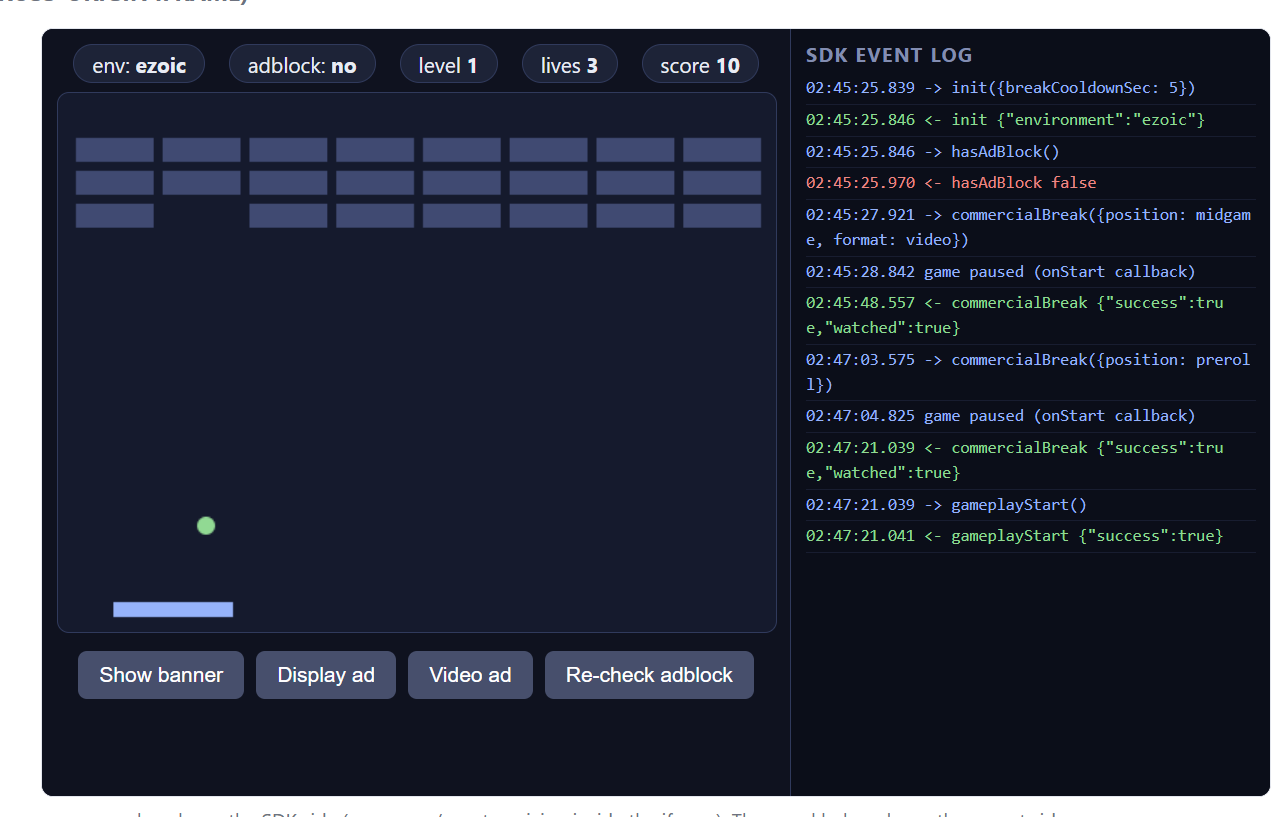
The Ezoic Web Games SDK lets an HTML5 game running inside an iframe — served from any origin, including a CDN — show ads from the hosting domain's ads.txt. This follows the industry-standard distribution model: a studio builds the game once, distributes it to any portal, and each host site monetizes it correctly.
The SDK's ad calls are built around gameplay: commercialBreak, rewardedBreak, banner show/hide, preroll, and video. Ads run at natural pauses — between levels, on retries, or when a player chooses a rewarded ad in exchange for something in-game. Rewarded ads earn 6–15x the CPM of standard display across the Ezoic network.
How to use it: start with the getting-started documentation. A working demo with a live SDK event log is at https://examples.ezoic.com/game-sdk/.
3. SDKs for React, Vue, and Angular — Plus Id-less and Infinite-Scroll Placements
Ezoic maintains official open-source SDKs for React, Vue, and Angular. Placements no longer require dedicated ad ids: showAds can target any HTML element. For infinite-scroll layouts, the platform fills every mapped placeholder, then automatically recycles the oldest ids as the feed grows, so long sessions keep earning past the last defined placement.
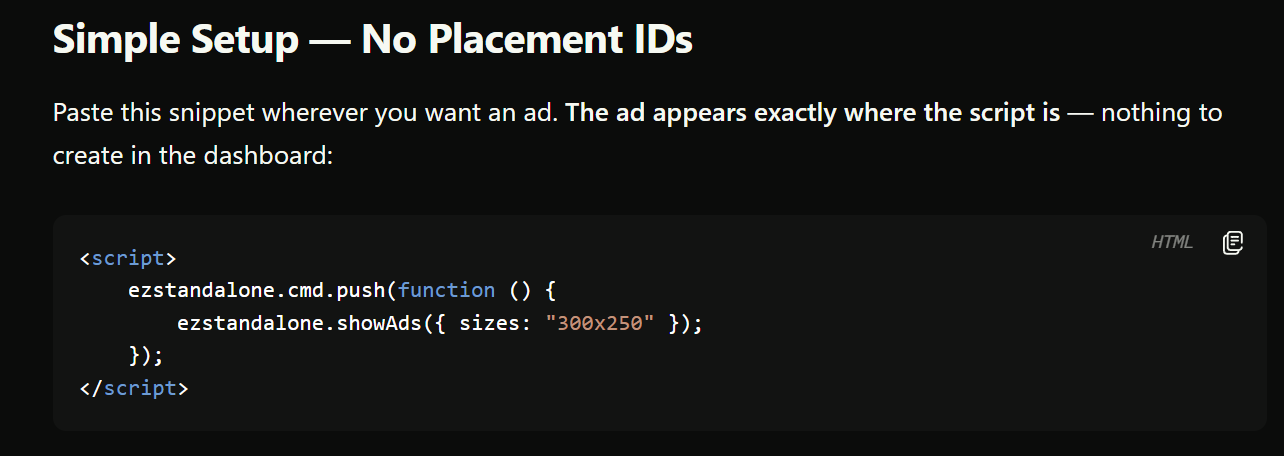
This matters if your product is a single-page application or a continuously loading feed — architectures that traditional fixed-div ad integrations handle poorly.
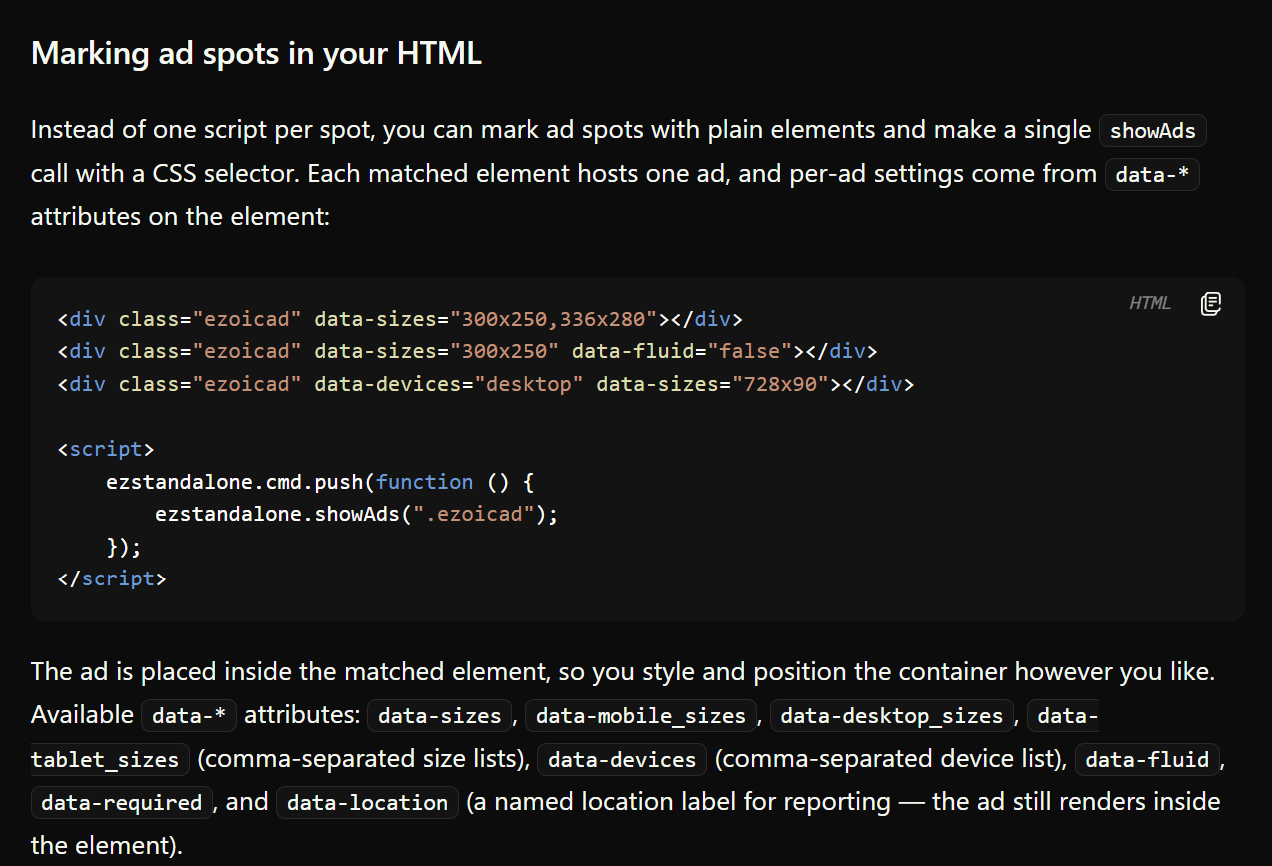
How to use it: the SDKs are on GitHub (React, Vue, Angular), and every implementation pattern — standard ids, id-less, each framework, and web games — has a working open-source example at examples.ezoic.com.
4. Visitor Accounts
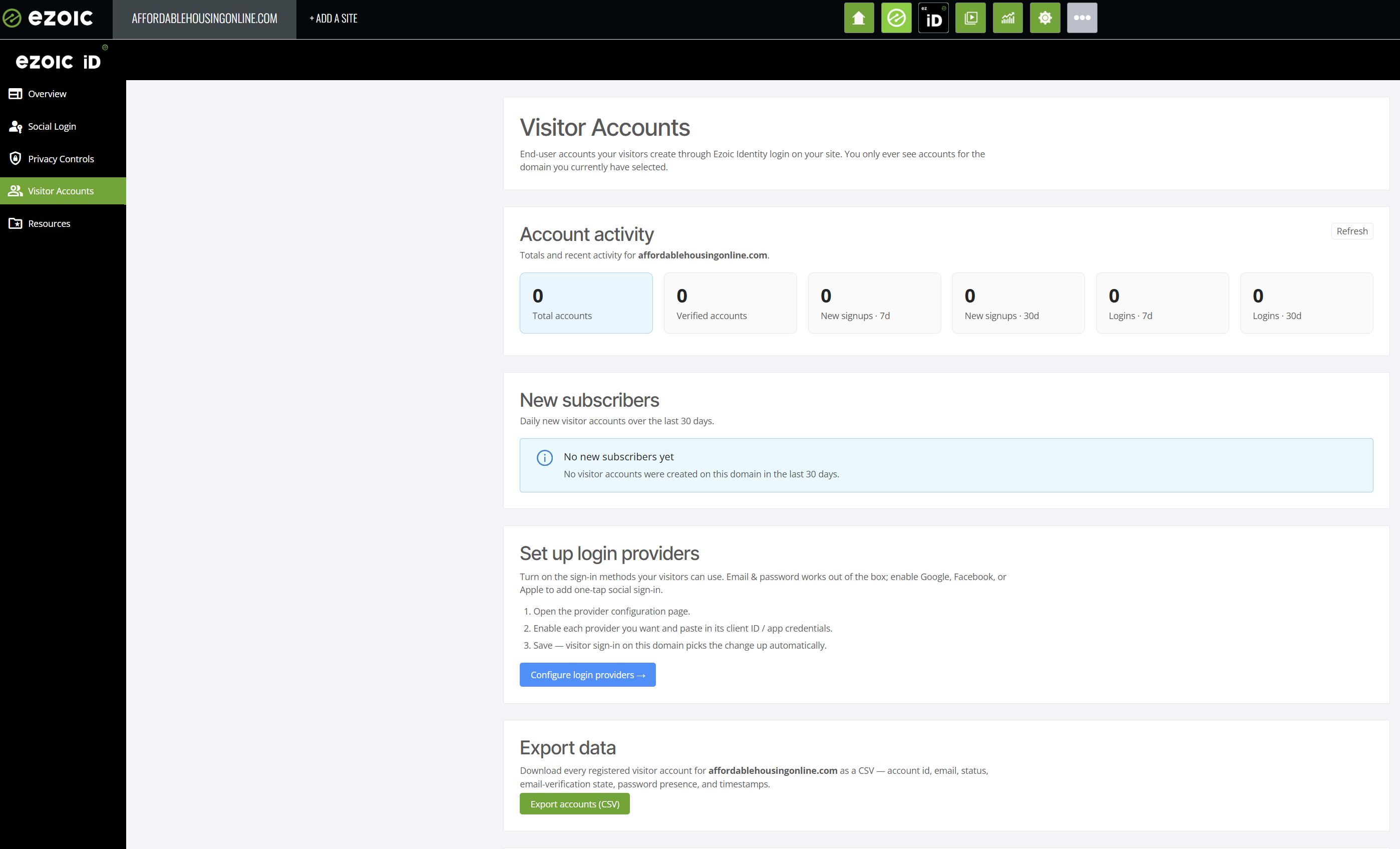
Visitor Accounts is an SDK for running your own logged-in user system: signup and login forms, password recovery, and account management. It uses your existing Social Login configuration, so Google, Facebook, and Apple sign-in are set up once and work for both Google One Tap and Visitor Accounts.
The revenue case is direct: logged-in users are identified traffic, and identified visitors earn 50%+ more than unidentified users. Beyond revenue, accounts give you subscriber relationships and a first-party data foundation you own.
How to use it: Visitor Accounts is in the Identity section of your dashboard.
5. Ask AI in Big Data Analytics, and Custom Dashboard Widgets
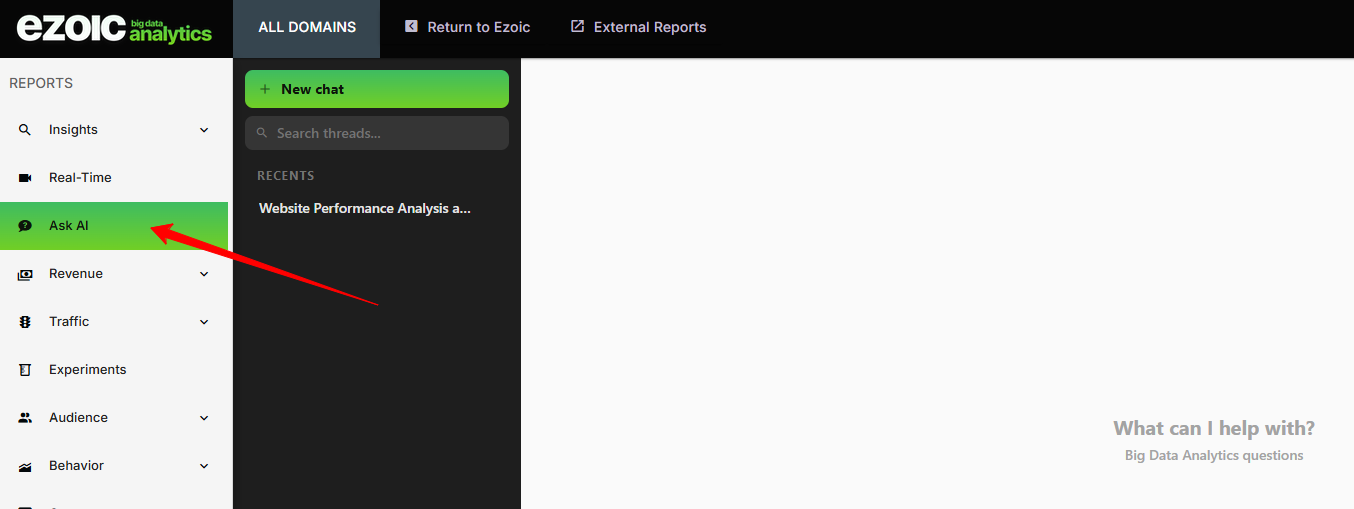
Ask AI is available to everyone in Big Data Analytics (BDA). Instead of building a report, you ask a question of your own data in plain language — which pages drove last week's revenue change, how a traffic source performs by device — and get the answer directly.
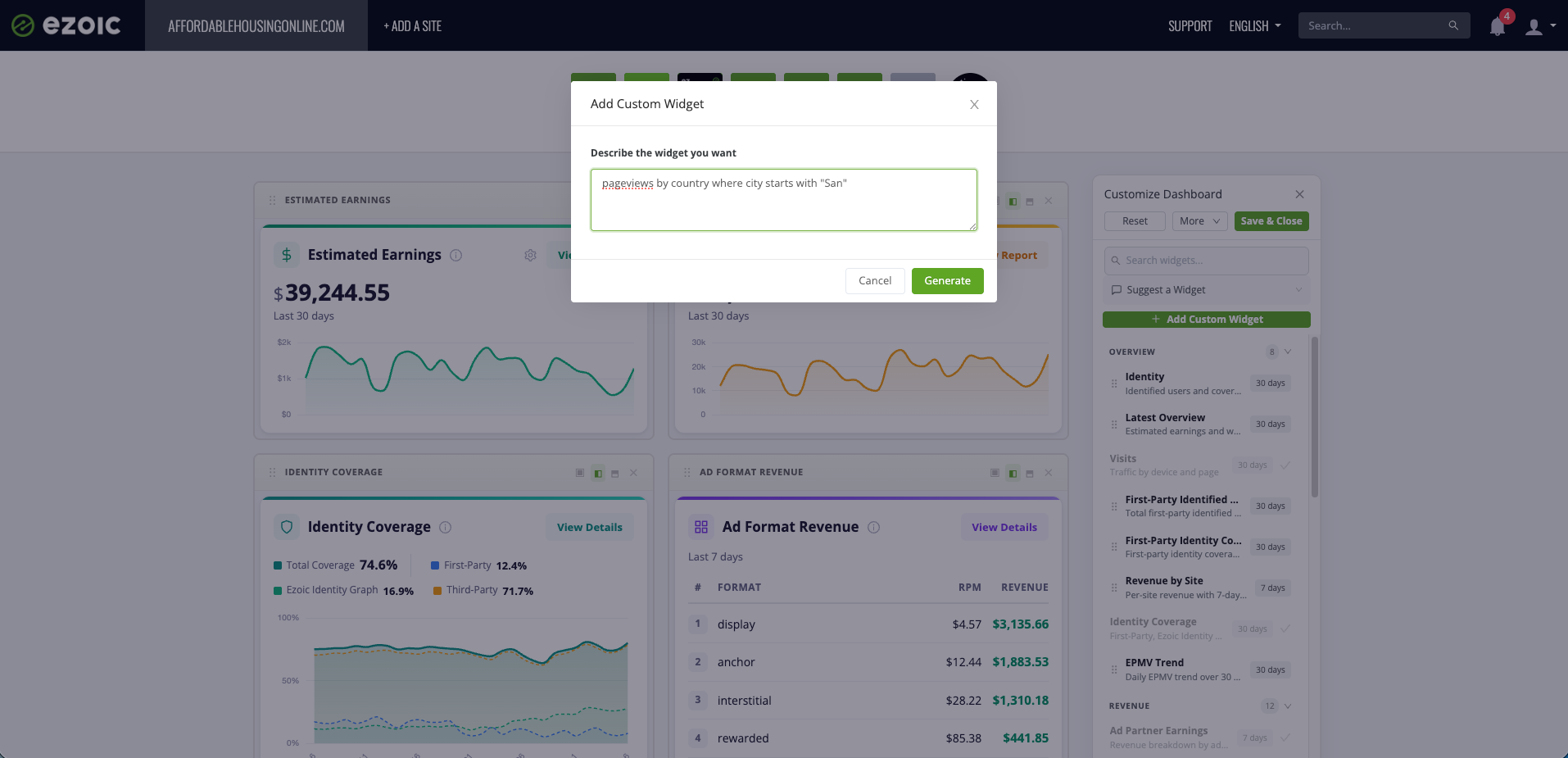
Custom widgets are also available to every account in the main Ezoic dashboard, so the metrics you check daily can be arranged on one screen. Describe the widget you want in plain language, and it's generated — chart type, dimensions, metrics, and filters included.
How to use it: both are live in your account — Ask AI inside BDA, custom widgets in your Ezoic dashboard.
6. Cloudflare Integration With Scoped API Tokens
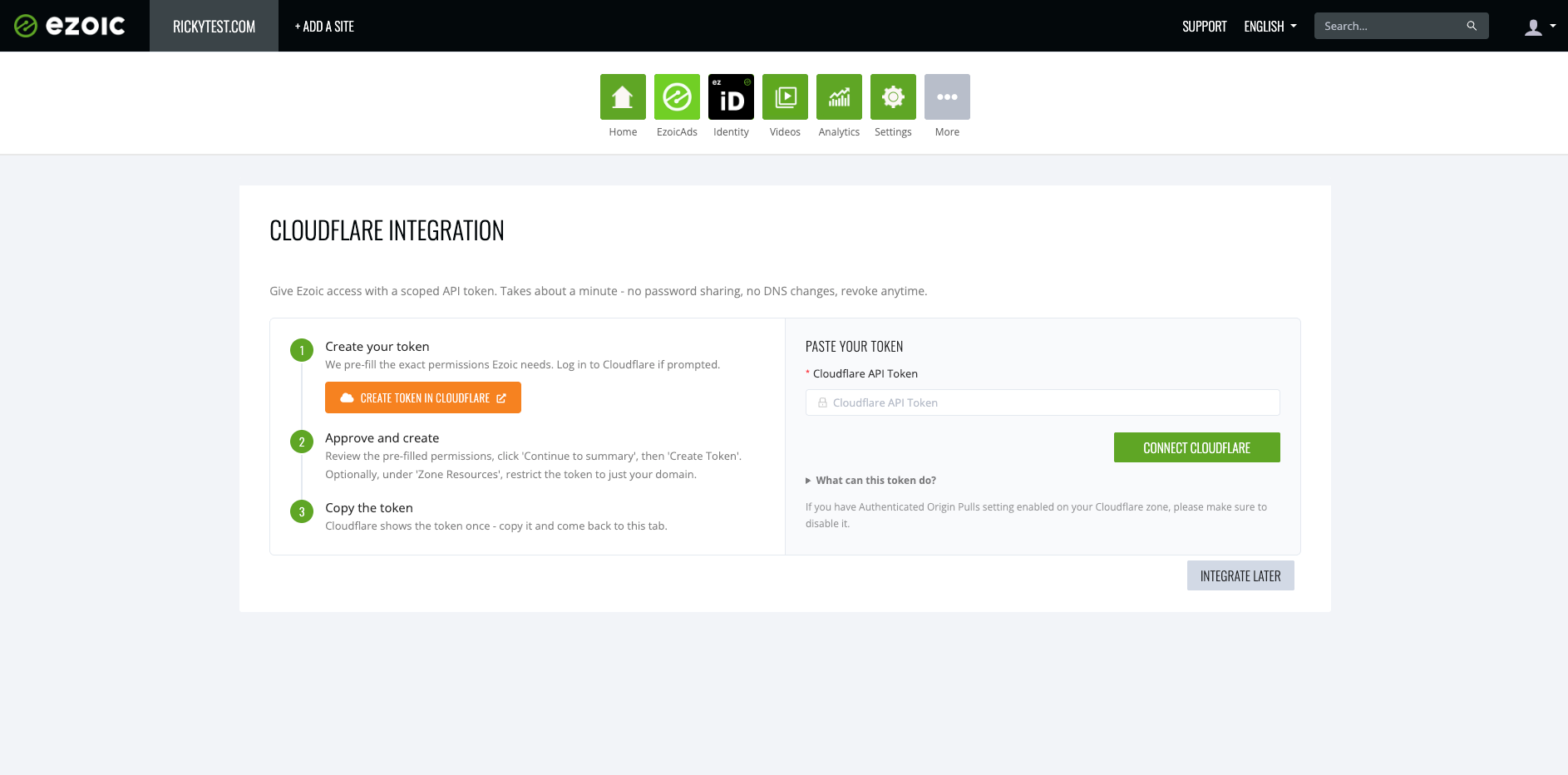
Connecting Cloudflare to Ezoic uses a scoped API token rather than your Cloudflare credentials. One click opens Cloudflare with the permissions Ezoic requires already pre-filled; you approve, copy the token, and paste it into the Ezoic dashboard. The token covers only what the integration uses — DNS, zone settings, SSL, cache purge, and page rules — can be restricted to a single domain, and can be revoked at any time. The process takes about a minute, with no password sharing and no DNS changes.
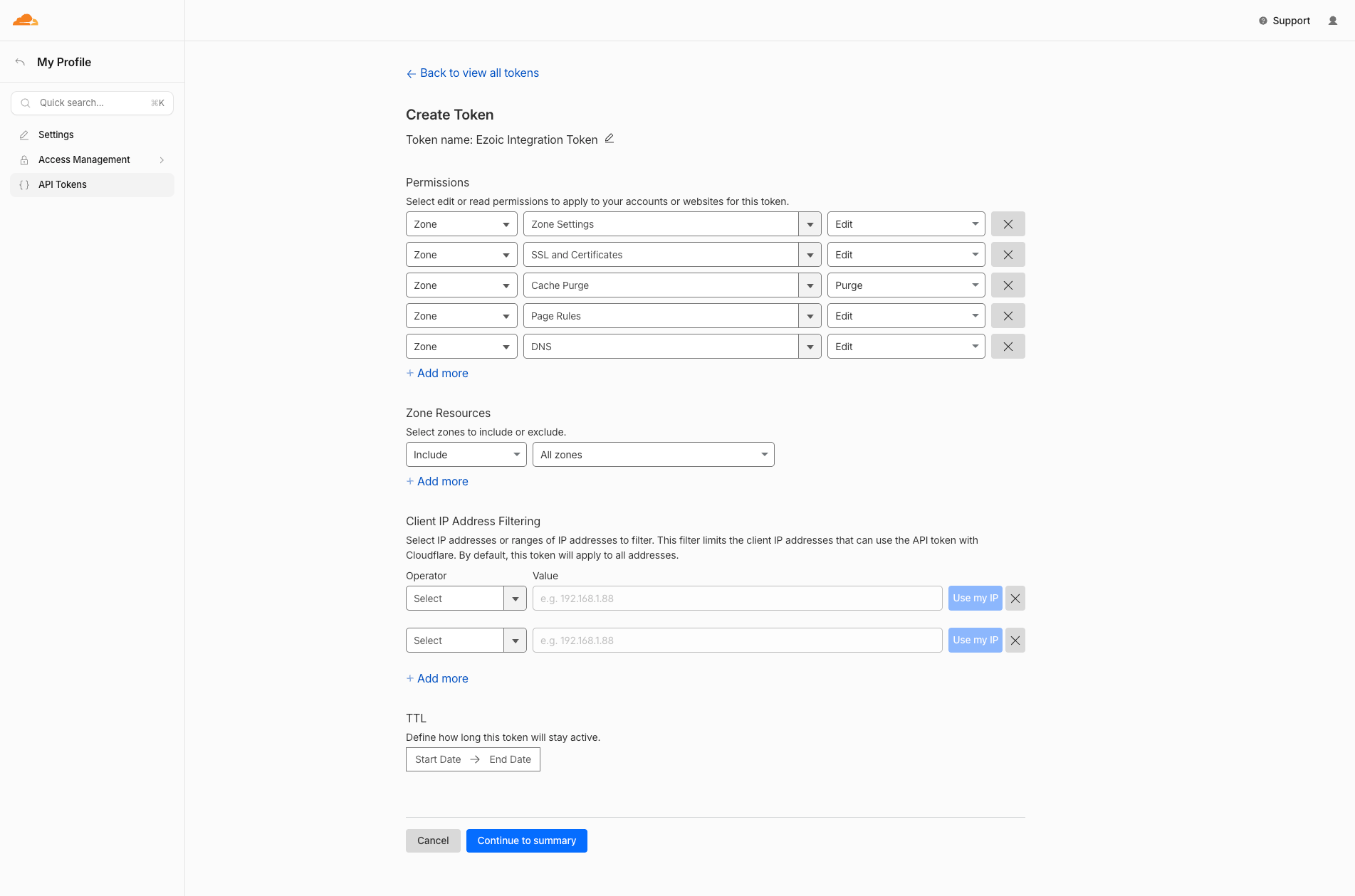
How to use it: the token flow appears in every setup flow and under Settings > Cloudflare.
In Early Access: Subscriptions, User Acquisition, and Revenue Dashboards
Monetization is increasingly a question of mix — advertising, paid access, and reinvestment into growth, in whatever proportion fits your audience. The three features below are built to let you test that mix. They are live but in limited release while the teams behind them collect feedback from customers using them in production. To get access, or to participate as a tester, contact your Customer Success Manager. General availability is expected in the near future.
Testing By Request: Ezoic Subscriptions
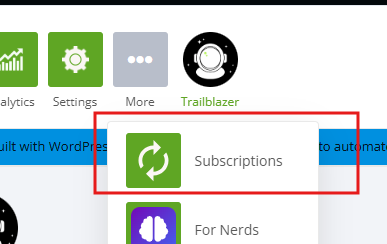
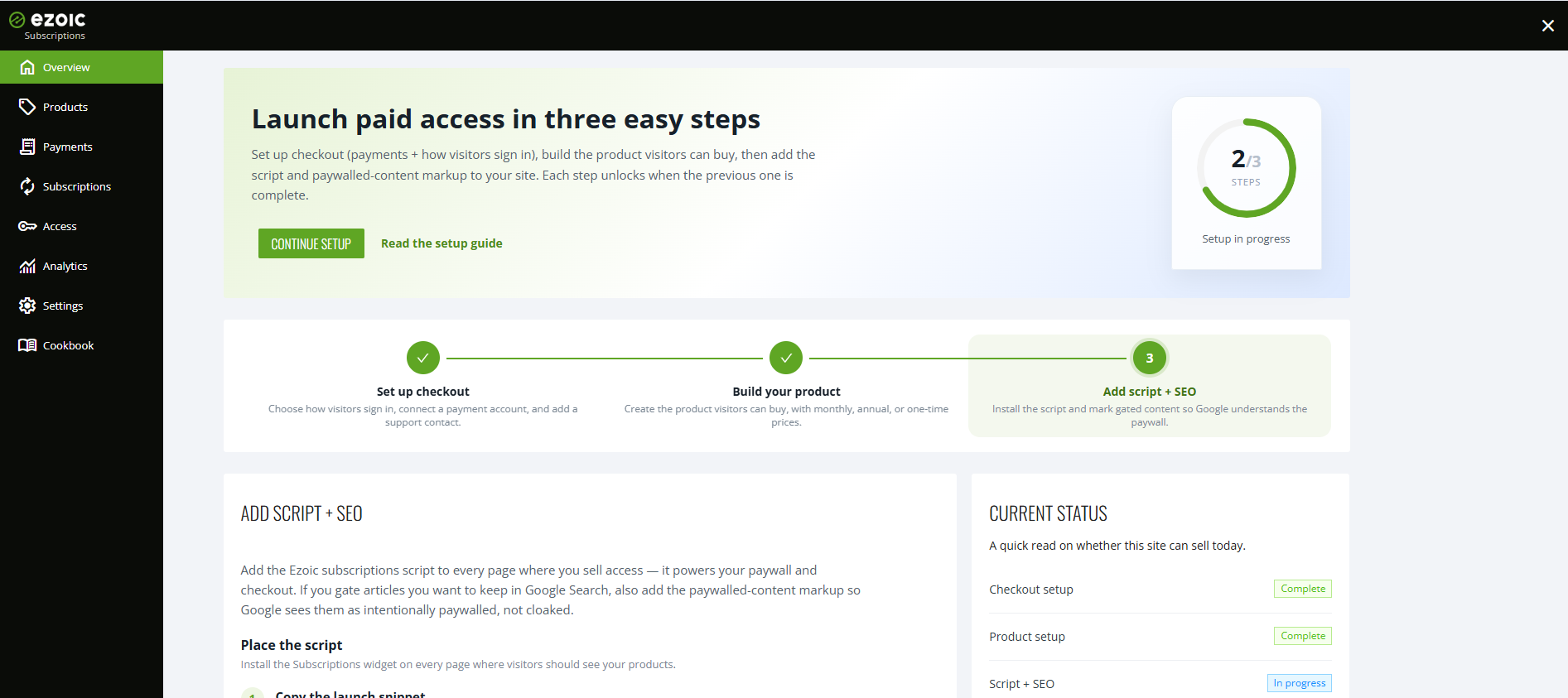
Subscriptions is a complete paid-access system — products, checkout, and a paywall — managed from the dashboard under More. Setup is three steps: configure checkout (visitor sign-in plus a connected payment account), create the product with recurring or one-time pricing and optional free trials, then add the script and paywalled-content markup to your site. The markup step protects your search presence: it tells Google that gated articles are intentionally paywalled rather than cloaked, so they remain eligible for Search.
The paywall is edited on a live preview — text, prices, and buttons are click-to-edit — with Classic and Modern templates, light, dark, and auto color modes, and a configurable accent color. Checkout is secured by Stripe. For developers, the integration surface is two calls: ezsubscriptions.showPaywall() opens the paywall, and ezsubscriptions.hasAccess() checks whether a visitor has purchased.
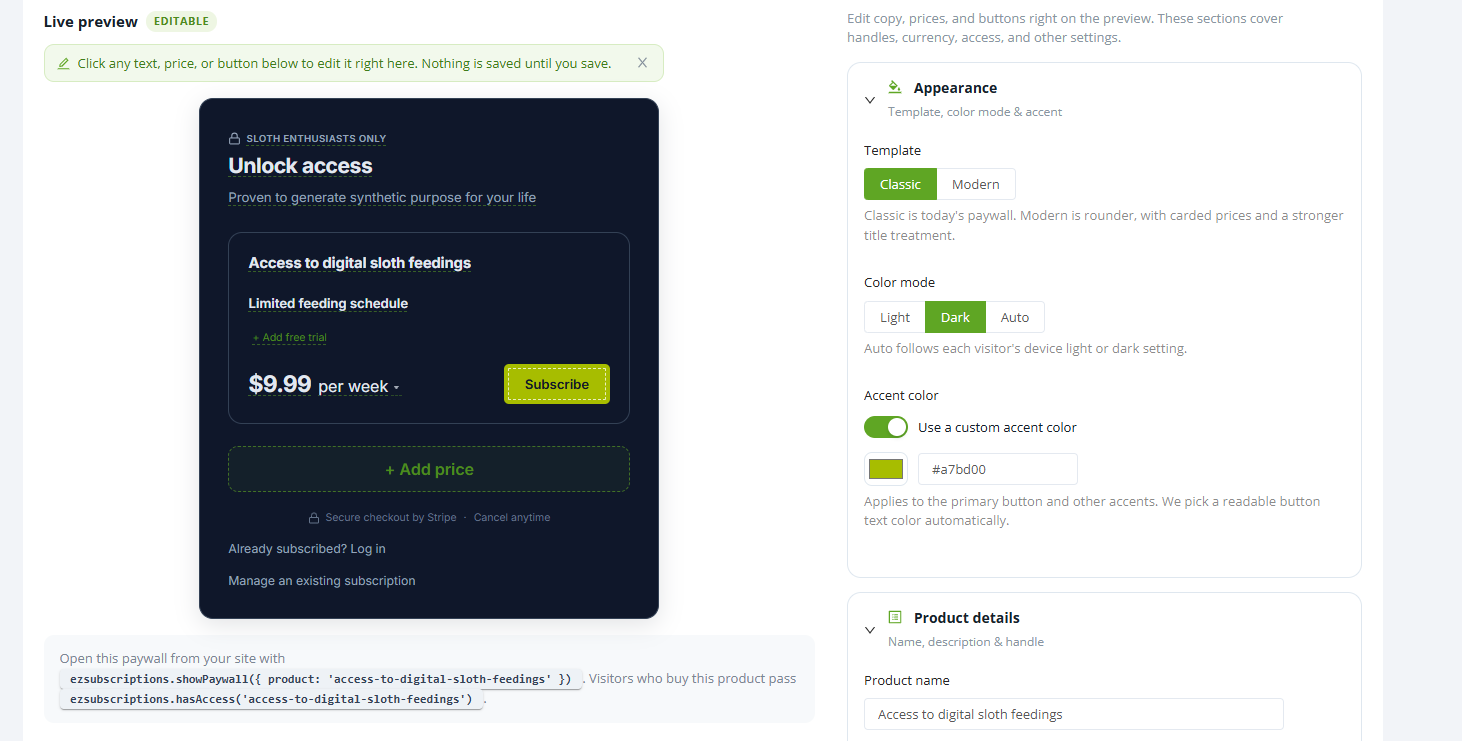
The value: subscription and membership revenue alongside ads — premium articles, member areas, gated features — without building billing, authentication, or entitlement systems yourself.
In Beta: User Acquisition
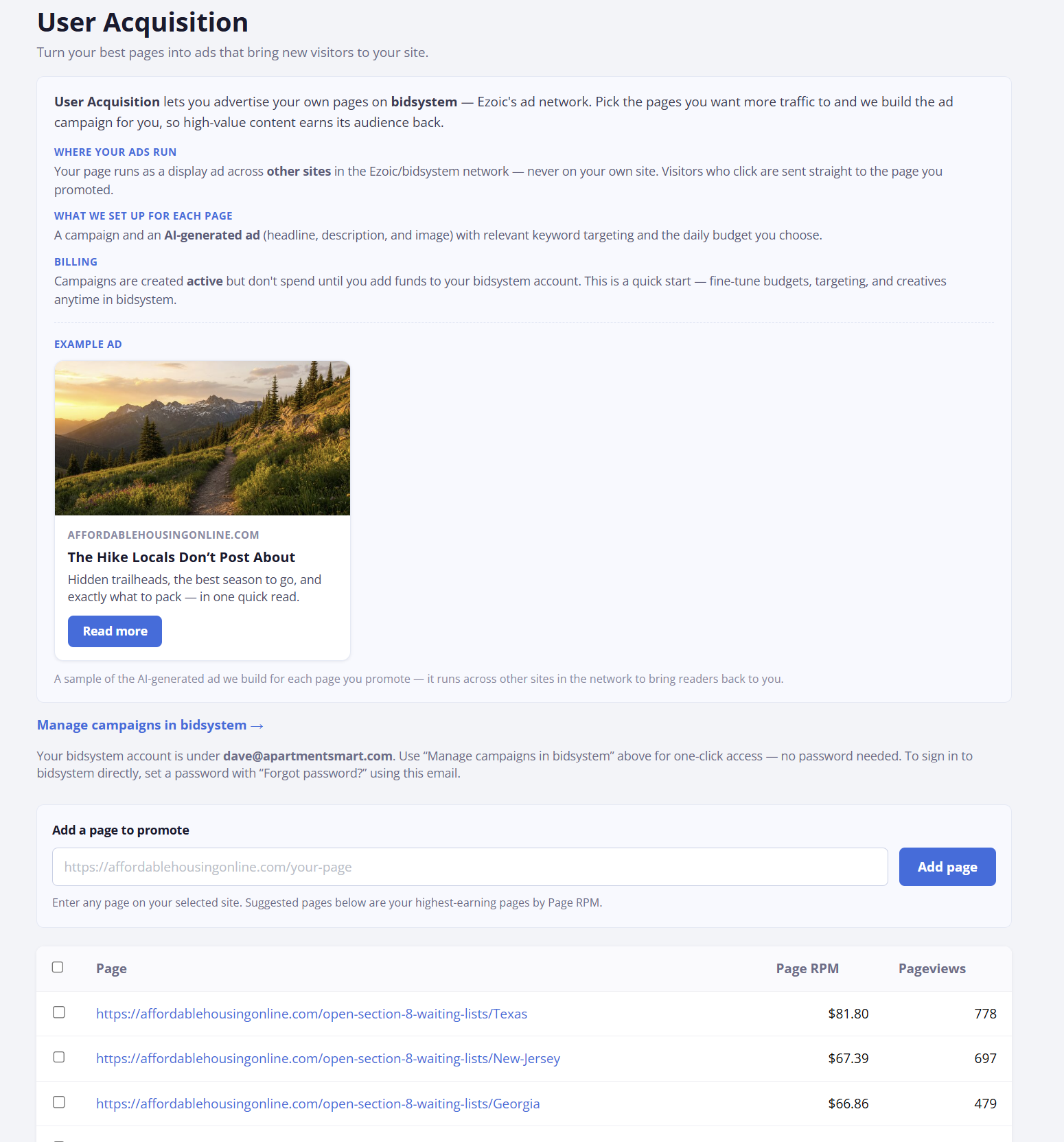
The User Acquisition section, under More in the dashboard, lets you promote your highest-earning pages through bidsystem.ai, Ezoic's advertising engine, funded directly from your Ezoic earnings. Your ads run across other sites in the network — never on your own — and your Ezoic ad revenue is tracked as conversions automatically, so campaigns optimize toward it.
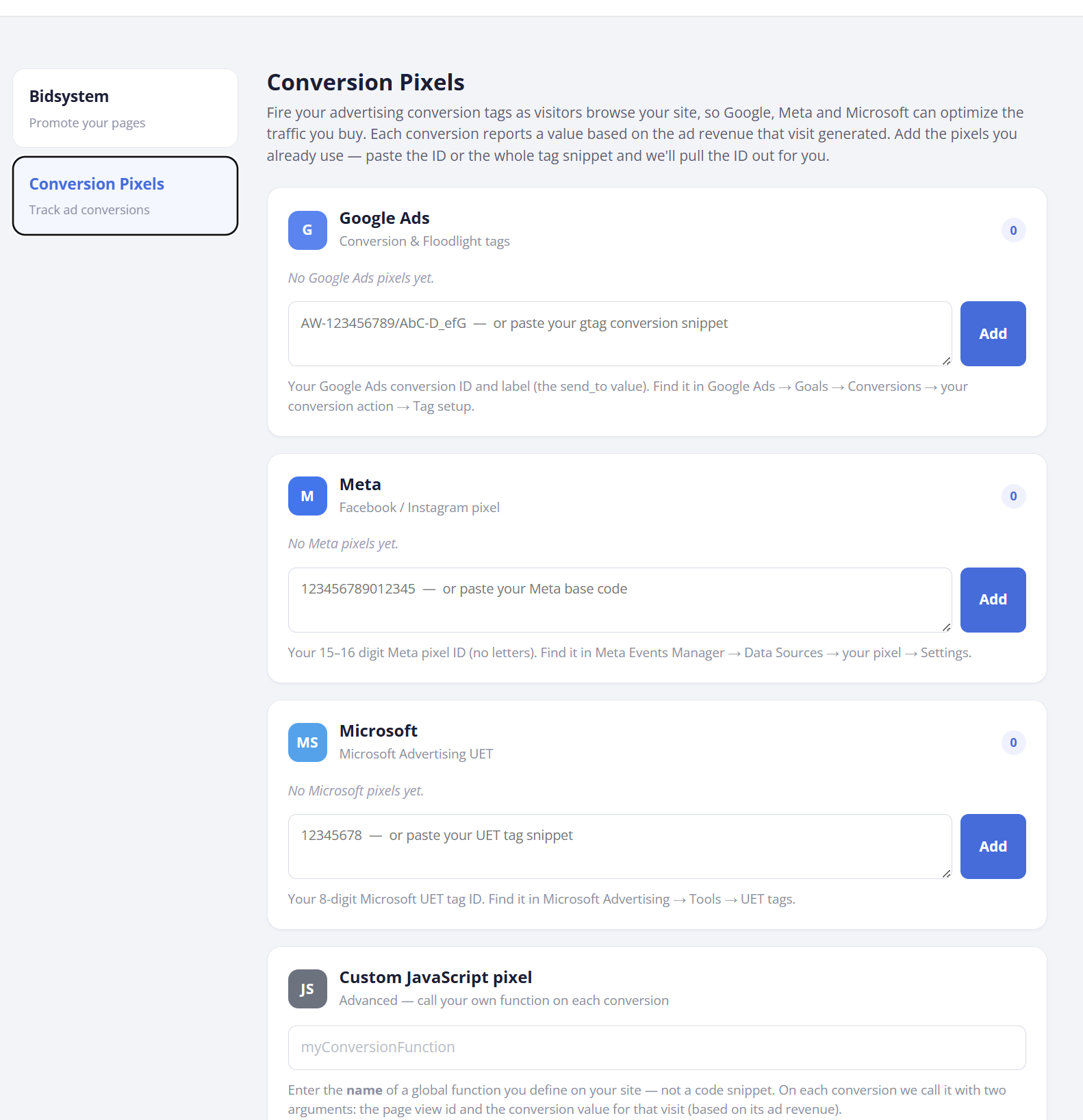
If you already buy traffic on other platforms, there is a second piece: conversion pixels. Add a Google, Meta, Microsoft, or custom pixel, and Ezoic fires it with a prediction of the ad revenue each acquired visitor generated. That gives your buying platforms a real value signal to optimize against, rather than clicks or sessions.
The value: a closed loop between what a visitor costs to acquire and what that visitor earns — useful if some pages significantly outearn the rest of your site, or if you run paid acquisition without ad-revenue feedback today.
In Beta: Revenue Dashboards
Revenue Dashboards produces branded, shareable reports: your logo and colors, multi-tab layouts, saved BDA reports, data tables, and templates prepared for different stakeholders. Dashboards can run on revdash.com, on your own subdomain, or on a custom domain, and live self-updating configurations are designed for office and team screens. It is currently linked from the top of BDA, and there's a full introduction here.
The value: reporting you can hand to leadership, clients, or a wall monitor without exporting and rebuilding it — and one view of performance as you add new revenue streams.
Everything in the first six sections is available in your dashboard now. For the three in early access, your Customer Success Manager can set you up — and if you have implementation questions about any of it, the AI Setup Assistant is built to answer them.