
Ezoic Subscription Manager Launches in the Ezoic Dashboard
Ezoic Subscription Manager is now available inside the Ezoic Dashboard. It lets you create subscriptions, gated access, one-time payments, and donations while Ezoic handles the infrastructure behind payments, billing, and access control.
This gives you a way to add direct visitor payments without building a checkout system or a custom gating layer from scratch. It is designed for publishers with different kinds of paid access needs, from premium content to paid features inside a tool or game.
What You Can Create
Subscription Manager is built for flexible payment and access scenarios. You can use it for recurring subscriptions, one-time purchases, donations, or gated experiences tied to specific parts of your site.
For example, you can charge visitors to unlock a premium article, view poll results, access bonus content, use an expanded version of a tool, receive hints or extra features in a game, or support your site through a tip or "buy me a coffee" style payment. You can also offer paid ad removal on a monthly, yearly, or lifetime basis, though that is just one possible use case.
The main idea is simple: you define what visitors can pay for, and Ezoic manages the payment and access pieces that usually make these projects harder to launch.
Where To Find It
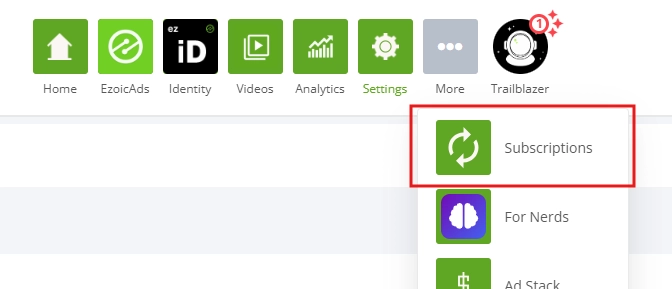
You can open Subscription Manager from the Ezoic Dashboard by selecting the Settings gear icon, then choosing Subscriptions.
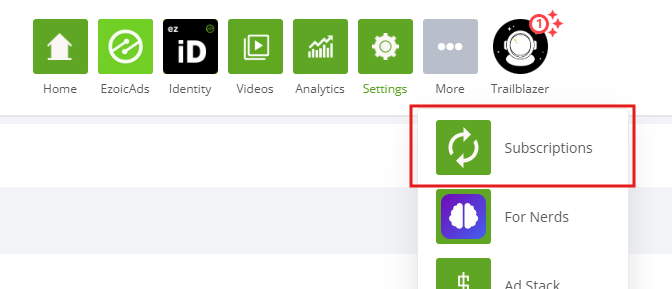
From there, you can start configuring the payment or subscription setup that matches what you want to offer. The feature is located directly in the dashboard, so you do not need to switch to a separate product area or manage payments through a disconnected tool.
Login And Access Options
You do not need to build your own login or gating system to use Subscription Manager. Ezoic can handle the access control flow for you, including the infrastructure needed to determine who has paid and what they can access.
If you already have your own login system, Subscription Manager can also work with that approach. That matters for sites that already have accounts, profiles, saved progress, member areas, or other user-specific experiences. You can keep your existing login model and use Subscription Manager for the payment and access layer.
This flexibility is important because paid access does not look the same for every site. A premium content section, a paid download, a subscriber-only feature, and a donation prompt all have different requirements. Subscription Manager is meant to support those differences without forcing every publisher into the same subscription format.
What To Know Before You Start
Subscription Manager is not limited to traditional subscriptions. You can use it for one-time payments and donations as well, so you should start by deciding what the visitor is paying for and whether access should be recurring, permanent, or tied to a single action.
You should also think through where the paid experience appears on your site. For some publishers, that may be a premium page or gated content block. For others, it may be a feature inside an interactive experience, an expanded tool result, or an optional support payment. The more clearly you define the paid outcome, the easier it is to configure the right payment and access flow.
For setup details, visit the Subscription Manager documentation at docs.ezoic.com/docs/subscriptions.