
Ezoic Direct Is Live for Self-Serve Direct-Sold Campaigns
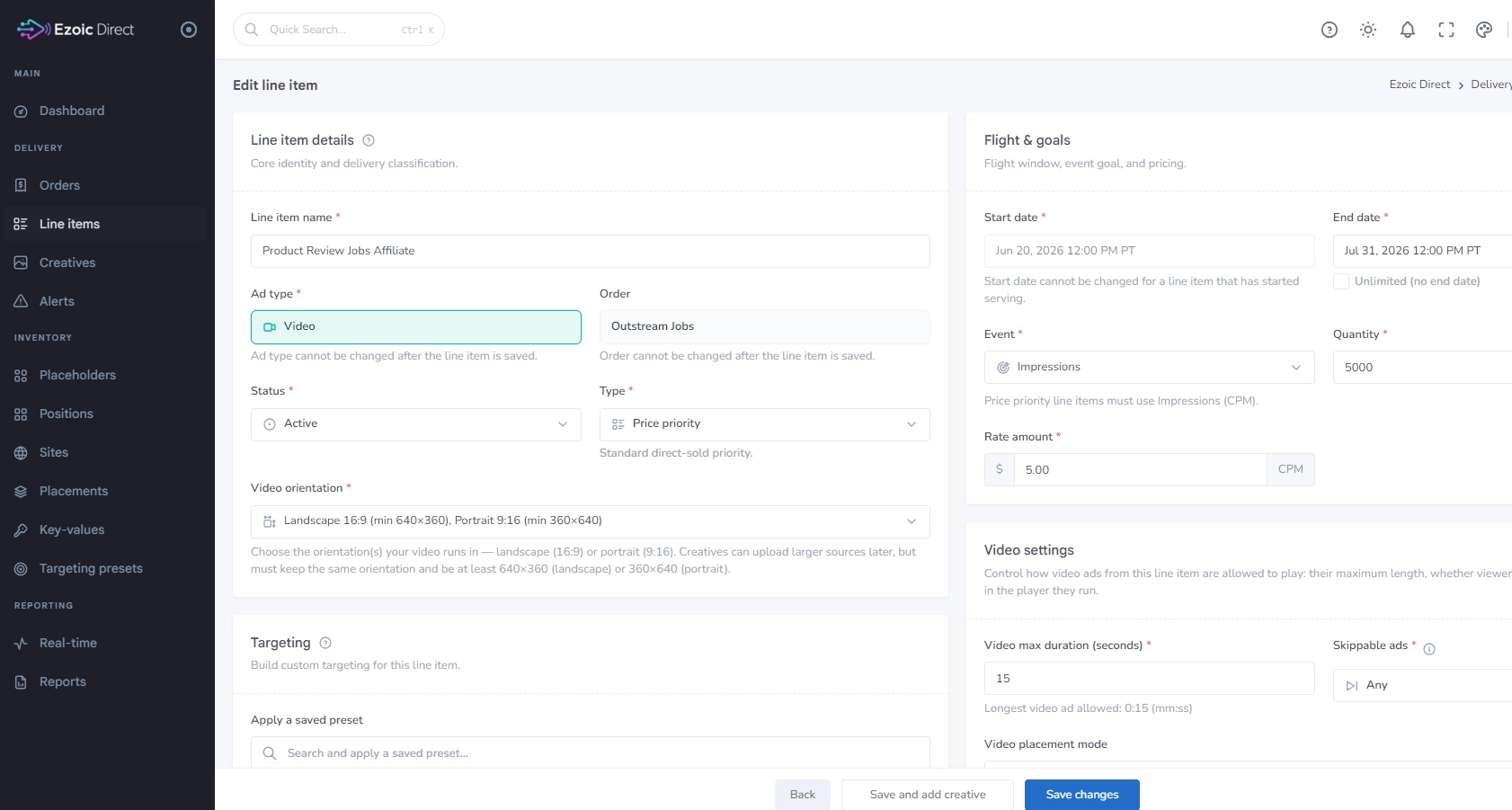
Ezoic Direct is now live in the Ezoic Dashboard, giving you one place to manage and serve your own direct-sold campaigns through Ezoic. If you sell campaigns directly to advertisers, you can now create orders, configure line items, set pricing and delivery goals, and manage campaign details from a dedicated Ezoic Direct dashboard.
That matters because direct-sold advertising usually creates extra operational work: tracking campaign details, setting dates, managing creative requirements, confirming impression goals, and making sure the deal actually serves as expected. Ezoic Direct brings those pieces into the same platform you already use for monetization, so you can move from a sold deal to an active campaign with fewer separate systems to manage.
What You Can Manage in Ezoic Direct
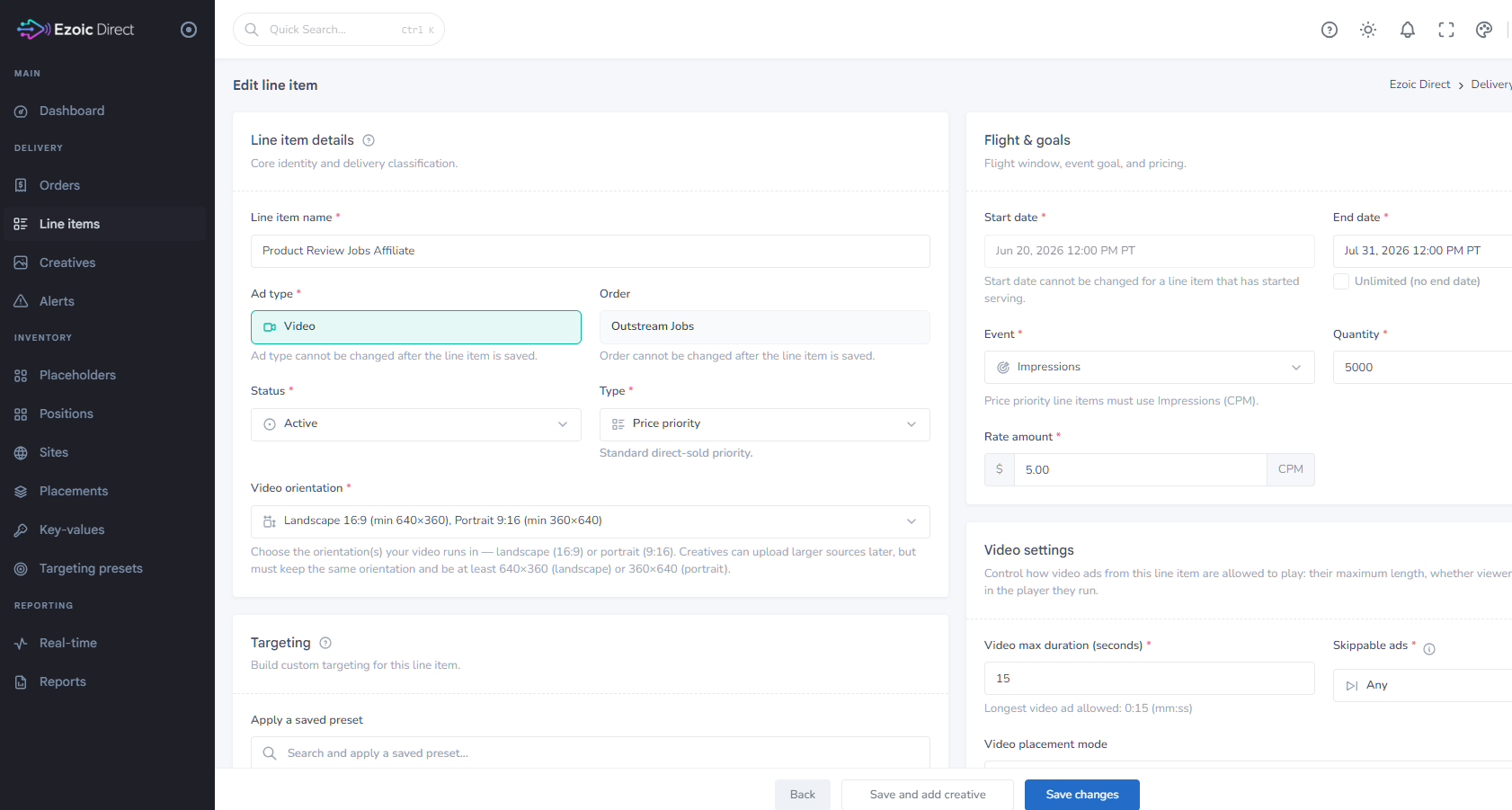
Ezoic Direct is built around the core workflow for direct-sold campaigns: orders, line items, creatives, inventory, and reporting. From the dashboard, you can create and manage the campaign structure that connects an advertiser deal to the ad experience that appears on your site.
For each line item, you can define practical campaign details such as the line item name, ad type, associated order, active status, and priority type. You can also set flight dates, impression quantity, and CPM rate, giving you clear control over when the campaign runs, what it is expected to deliver, and how it is priced.
For video campaigns, Ezoic Direct includes video-specific controls, including settings for maximum video duration and skippable ad behavior. Targeting controls are also available in the line item workflow, so you can build the campaign around the audience, placement, or inventory requirements tied to the deal.
One note is that Ezoic doesn’t take any commission or fees for running direct campaigns, something that is more common with other networks in the industry.
This makes Ezoic Direct useful for common direct-sales scenarios: a sponsor buying a fixed impression package, a brand running a video campaign over a defined flight, an advertiser booking a campaign tied to specific inventory, or a partner renewing a direct deal at a negotiated CPM.
How to Open Ezoic Direct
Ezoic Direct is available to all publishers with an existing Ezoic login. There is no waitlist.
You can open it from the Ezoic Dashboard in either of these ways:
- Go to More → Ezoic Direct.
- Go to Settings, then select Go to Ezoic Direct.
Once inside Ezoic Direct, use the left navigation to move between the main areas of the product: Dashboard, Orders, Line items, Creatives, Inventory, and Reporting. If you are setting up a new direct-sold campaign, start by creating the order and then build the line item with the campaign’s delivery details, dates, pricing, ad type, and targeting.
The Bottom Line
Ezoic Direct gives publishers a self-serve way to manage direct-sold advertising alongside their Ezoic monetization workflow. If you already sell campaigns directly, or you want a cleaner way to run those deals through Ezoic, you can open Ezoic Direct today from the Ezoic Dashboard and begin setting up orders and line items.