
Export Complete Analytics Datasets with the Ezoic BDA API
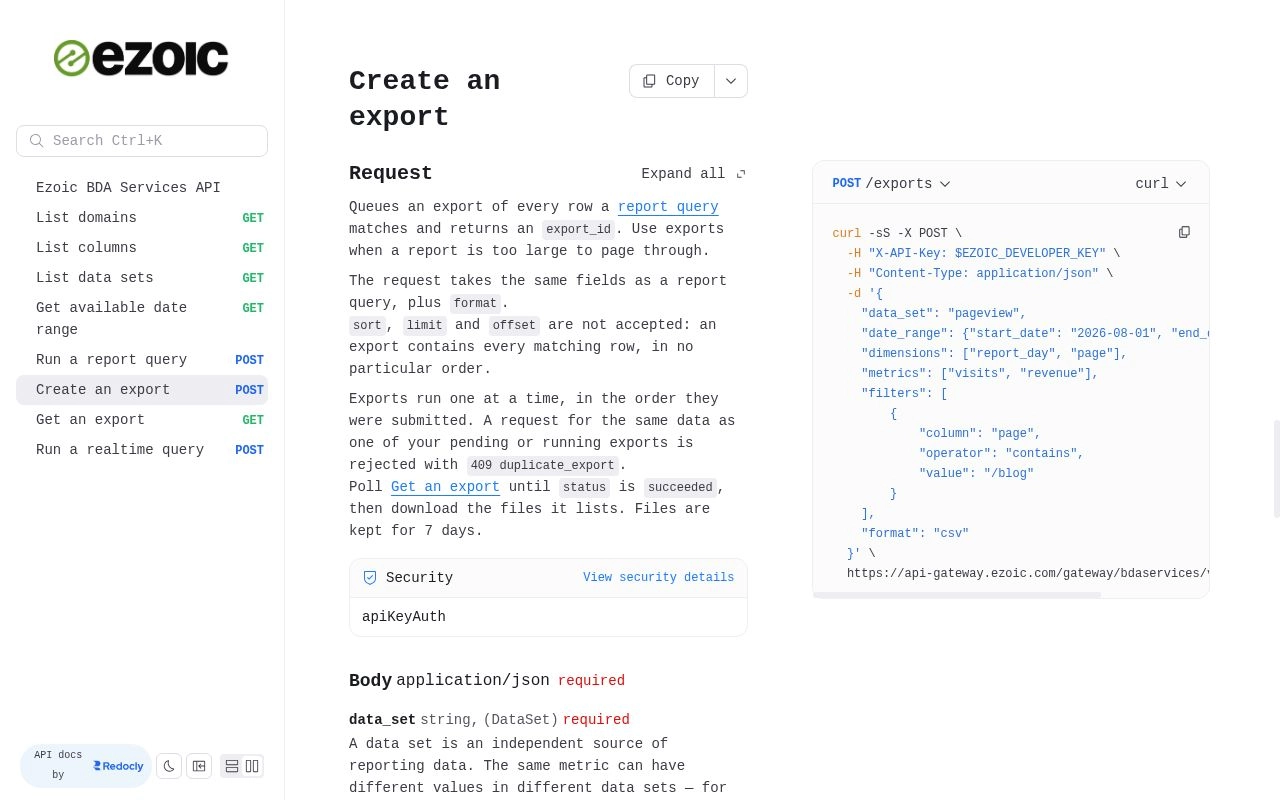
The Ezoic Big Data Analytics (BDA) API now lets you export every row matching a report query as downloadable files, instead of paging through the results. For large, multi-GB datasets, exports make data pulls much faster and remove the need for pagination loops or limit/offset bookkeeping.
In one publisher’s daily data pull, a job that previously took five hours now takes about one minute.
You choose the data set, date range, dimensions, metrics, and filters. The export collects every matching row, ready to download as gzip-compressed CSV or Apache Parquet.
Full datasets for your reporting workflow
Exports are designed for reports that are too large to retrieve efficiently through paginated queries. If your daily reporting depends on pulling a substantial amount of analytics data, you can request the complete result rather than repeatedly fetching and combining pages.
For example, you could pull daily visits and revenue by page into a data warehouse, prepare a filtered dataset for analysis, or supply a recurring analytics pipeline with the full report output. Filters still determine what belongs in the export, so “complete” means every row matching your request—not data you did not ask for.
Two file formats let you choose output that fits your workflow:
- Gzip-compressed CSV (
.csv.gz) includes a header row. Use it for CSV-based workflows or decompress it for use in compatible spreadsheet and analysis tools. - Apache Parquet gives you another option for loading the results into data warehouses and analytics pipelines.
If you already run BDA report queries, you can reuse the same data set, date range, dimensions, metrics, and filters. The main change is requesting an export and choosing its format, then downloading the resulting files rather than collecting pages of query results.
How to create an export
You’ll need your Ezoic API key and the report fields defining the data you want. Export requests use the same X-API-Key authentication header as the other BDA API endpoints.
In the BDA API documentation, select Create an export to see the request reference and example.
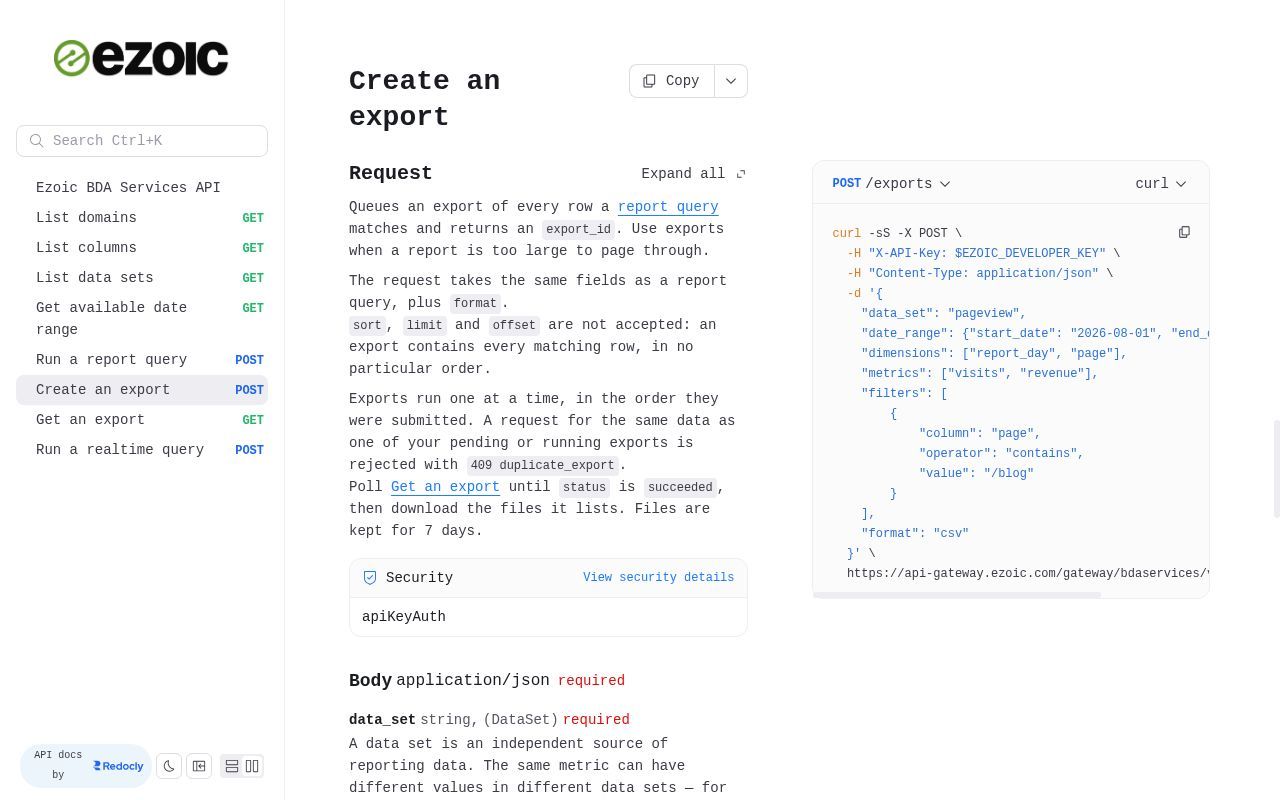
The workflow has three steps:
- Create the export. Send
POST /exportswith your report fields and aformatvalue of"csv"or"parquet". For example, a request can use thepageviewdata set,report_dayandpagedimensions, andvisitsandrevenuemetrics. Add filters when you want a narrower result. The response returns anexport_id. - Check its status. Use Get an export with that
export_iduntil the status issucceeded. - Download the files. The completed export lists the files containing your results. Files are kept for seven days, so download them within that window.
Regular report queries remain the right choice for small, ad-hoc lookups. Use exports when you need the complete result of a large report without managing pagination.
For request examples and the full endpoint reference, see Create an export in the BDA API documentation.