Build Your Email List with ezID Captured Emails

Your website could already be building your email database
A visit starts a reader relationship. An email address gives you a way to continue it, through newsletters, updates, and content readers have chosen to receive.
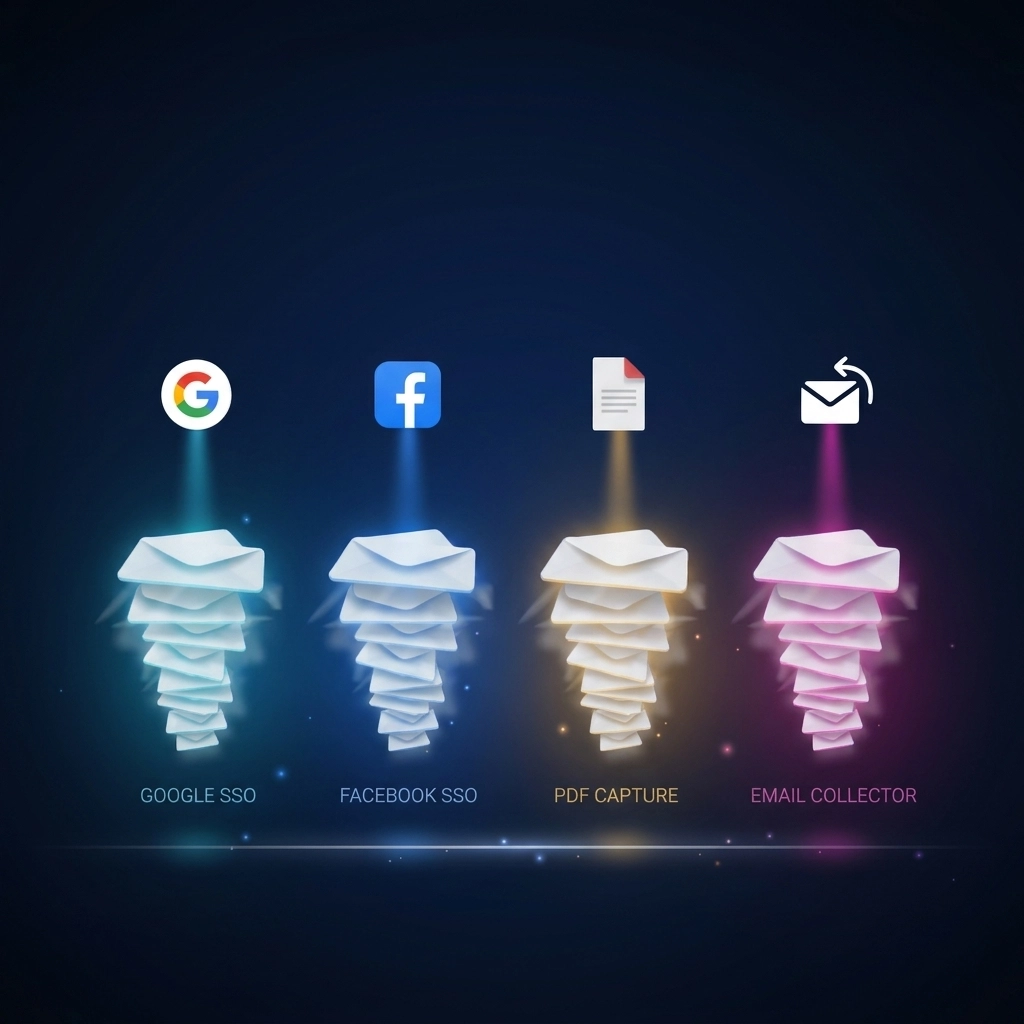
ezID (Ezoic Identity) turns those sign-ins and email submissions already happening on your site into an email database you control. Once a supported capture method is set up, ezID automatically collects and organizes the emails readers share through Google SSO, Facebook SSO, PDF Capture, or Email Collector. Every contact lands in one view directly inside your Ezoic dashboard.
A reader's email is the most direct form of that data, and your site is already in a position to collect it.
Already running Google One Tap or Social Login? Your list may already be growing. Open ezID → Captured Emails to see what's there.
Four ways readers can share their email
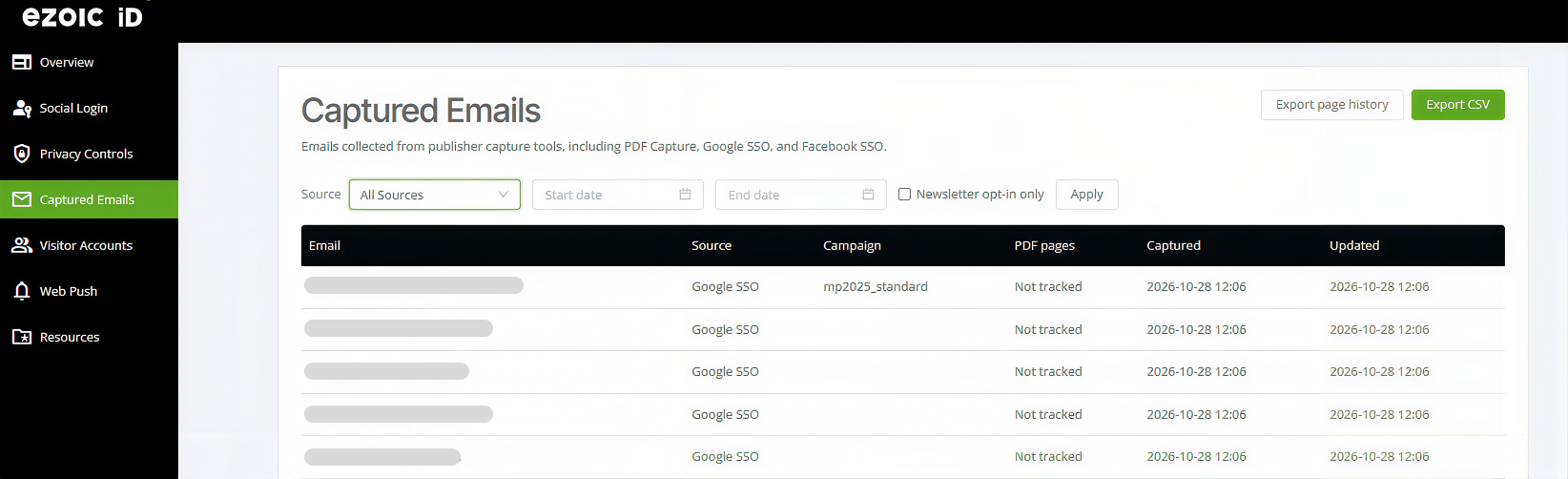
Readers share their email at different moments and for different reasons. Some want the fastest way to sign in while others want to save an article or hear when you publish something new. ezID gives you four capture method options, so every reader gets a reason to connect that fits how they use your site.
Google SSO with One Tap
Google One Tap shows Chrome readers with an active Google session a single click sign in prompt. There's no form to fill out and no password to remember. With collection enabled and the required permissions in place, the reader's email is captured as part of that sign in. Google is the quickest method to set up, so most sites start here.
Setup: Create a Client ID in Google Cloud Console, then paste it into Identity → Social Login in your dashboard. The same Client ID powers One Tap. Review the step by step setup guide here.
Facebook SSO
Facebook Login gives readers another familiar way to sign in, and it carries the most weight for social traffic. When a reader opens your site inside the Facebook app, Google One Tap can't run in that in app browser. Facebook sign in gives those readers a working option right where they already are.
Setup: Create an app in Meta for Developers, add the email permission, and set the app to Live. Then paste the App ID and App Secret into Identity → Social Login. The Step by step setup guide is available to you today.
PDF Capture
The PDF Capture, where enabled, lets readers share their email to save an article as a PDF.
Email Collector
Email Collector is a dedicated form that asks readers for their email directly. You write the message, so you can tell readers exactly what they get for connecting, such as an update each time you publish.
One dashboard to see everything you've collected
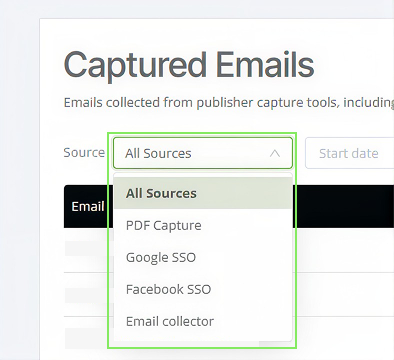
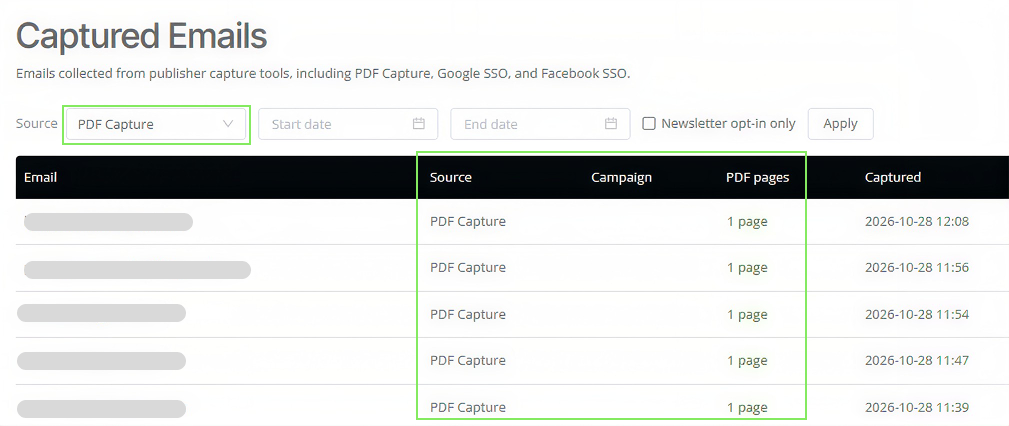
The Captured Emails section in ezID puts every collected contact in a single table. Each record shows the email address, its source, any campaign tied to it, PDF pages saved, and when it was captured and last updated.
Here's how to work with it:
- Filter by source. Choose All Sources, Google SSO, Facebook SSO, PDF Capture, or Email Collector to see which method brought each contact in.
- Set a date range. Pick a start and end date to review a launch week, a campaign, or the last month.
- Narrow to opted in readers. Check Newsletter opt-in only to see contacts who agreed to receive your newsletter.
- Export. Select Export CSV to download your list, or Export page history to download the articles behind your PDF captures.
PDF Capture records go one step further. The PDF pages column shows how many articles each reader saved, and the page history export lists those articles. You can see exactly which content moves readers to connect.
Your email database, accessible and exportable
Every contact in Captured Emails comes from an experience on your own website, and the list is yours to access and export. Open it anytime, filter it however you need, and download it as a CSV in one click. From there, bring readers who have opted in into the email platform you already use for newsletters and updates.
What an email database makes possible
A list of opted-in readers gives you a direct line to your audience. Use it for a newsletter, alerts when new articles go live, or a weekly roundup that brings readers back for another visit.
Source and campaign details show which capture experiences are contributing contacts, helping you decide where to test new messaging or expand your collection efforts.
There's a clear advertiser benefit too. With the appropriate permissions, ezID turns reader-provided emails into hashed identity signals that help participating advertising partners recognize relevant audiences. When advertisers can match a reader to an audience they want to reach, they have a stronger reason to compete for that impression and may be willing to bid more. For publishers, email collection creates two opportunities: building direct reader relationships and helping unlock more value from the traffic already reaching your site.
See what you've collected and build from there
Your next audience building opportunity may already be taking shape on your website. Explore the emails you've collected, see how readers are connecting, and start building on those relationships.
Go to Captured Emails to check which sources are contributing, and review the capture methods available for your site. Need to set one up? The Google One Tap and Social Login setup guide walks through each step.